- Q: Why is my Map Share feature not working on my iPhone?
A: On iPhones, Map Share issues often stem from location services being off, outdated iOS, or privacy settings restricting access. Check Settings > Privacy & Security > Location Services to ensure your maps app has "Always" or "While Using" access. - Q: How do I fix Map Share not sending locations on Android?
A: For Android, try clearing the cache and data of your Maps app via Settings > Apps > Maps > Storage. Also, verify app permissions for location and contacts. An unstable internet connection is another common culprit. - Q: What should I do if my Map Share link is not opening for others?
A: If shared links aren't opening, the recipient might have an outdated app, an unsupported device, or issues with their internet connection. Ensure you're sharing the correct, active link and the recipient has the necessary app installed. - Q: Can a poor internet connection cause Map Share to fail?
A: Absolutely. A weak or unstable internet connection, whether Wi-Fi or cellular data, is a primary reason for Map Share failures. Ensure you have a strong signal before attempting to share your location or a route. - Q: Why is my Maps app showing "Location Not Available" when I try to share?
A: "Location Not Available" usually means your device cannot pinpoint your current location. Check that GPS is enabled, location services are active for the app, and you're not in an area with poor satellite reception or dense obstacles. - Q: Are there specific privacy settings that might block Map Share?
A: Yes, privacy settings are crucial. Many devices allow you to restrict apps from accessing your location. Double-check your phone's privacy settings to confirm your Maps app has the necessary permissions to share location data. - Q: Does updating my Maps app help with sharing problems?
A: Yes, keeping your Maps app updated is vital. Developers frequently release updates that fix bugs, improve performance, and enhance sharing functionality. Outdated apps can be a significant source of glitches and connectivity issues.
Facing issues with Map Share not working on your device? This comprehensive guide helps Gen Z and Millennials troubleshoot common problems preventing seamless map sharing. From network glitches to app permissions and outdated software, we cover practical solutions to get your navigation and location sharing back on track. Learn quick fixes and essential tips to ensure your Local MAP and other mapping applications function perfectly for all your travel and social needs in 2026. Avoid frustration with step-by-step advice on resolving sharing errors, connection drops, and configuration headaches. This resource is designed to empower you with the knowledge to independently diagnose and fix your Map Share woes.
- Why is my Map Share feature not working on my iPhone? - Map Share issues on iPhones often stem from location services being off, outdated iOS, or restricted privacy settings. Ensure your Maps app has appropriate access in Settings > Privacy & Security > Location Services for seamless sharing. An unstable network connection can also hinder functionality.
- How do I fix Map Share not sending locations on Android? - For Android users, clearing the Maps app cache and data via Settings > Apps > Maps > Storage is a common fix. Verify app permissions for location and contacts. A stable internet connection is crucial. Ensure your operating system is also up to date for optimal performance.
- What should I do if my Map Share link is not opening for others? - If shared Map Share links aren't opening, the recipient might have an outdated maps app, an unsupported device, or poor internet. Confirm you're sending the correct, active link and suggest they update their mapping application for compatibility. Device restarts can also help.
- Can a poor internet connection cause Map Share to fail? - Absolutely. A weak or unstable internet connection, whether Wi-Fi or cellular data, is a primary reason Map Share functionality can fail. Ensure you have a strong, reliable signal before attempting to share your location or a specific route for best results.
- Why is my Maps app showing 'Location Not Available' when I try to share? - 'Location Not Available' typically means your device can't pinpoint your current position. Check that GPS is enabled, location services are active for your app, and you're in an area with good satellite reception, avoiding dense obstructions that block signals.
- Are there specific privacy settings that might block Map Share? - Yes, privacy settings are crucial. Your phone allows you to restrict apps from accessing location data. Double-check your device's privacy settings to confirm your Maps app has the necessary permissions to share location details effectively. This is a common oversight.
- Does updating my Maps app help with sharing problems? - Yes, keeping your Maps app updated is vital for fixing sharing problems. Developers regularly release updates containing bug fixes, performance improvements, and enhanced compatibility. An outdated app can frequently lead to glitches and hinder proper Map Share functionality. Always check for the latest version.
Dealing with your Map Share not working can be a real hassle when you are trying to meet up with friends or share important locations. This quick guide cuts through the noise to help you get your Map Share back up and running. We know you are busy, so let's jump straight into the fixes for common sharing glitches.
Frequently Asked Questions
Where can I find immediate help for Map Share not working in a big city?
For immediate technical support, check your phone's support page like Apple Support or Google Help online. Local tech repair shops in areas like Silicon Valley Tech Hub or Austin Innovation District also offer in-person assistance.
How can I check Local Maps for Map Share status or troubleshooting hours?
Pull up your preferred mobile Maps app to verify real-time hours for any related service or check for outage notifications. Look for an in-app help section or support contact. Sometimes server issues affect Local MAP services universally. Always restart your app for a fresh connection.
What are the common reasons Map Share fails?
Map Share often fails due to poor internet connection, incorrect app permissions, outdated app versions, or device software bugs. Sometimes, server-side issues with the mapping service itself can be the culprit. Always ensure your device has enough storage.
Quick Local Tech Help Spots (for Map Share Issues):
- Tech Repair Pro: Downtown Hub / Main & Elm
- Mobile Fix It Shop: University District / Oak & 3rd
- Gadget Gurus: Tech Park West / Innovation Ave
Troubleshooting Map Share problems, Fixing map sharing errors, Network solutions for maps, App permission checks, Software updates for map apps, Location sharing fixes, Resolving connection drops.



Maps Share Trip Progress Not Working Xalam Blog Missing In Google Using Aa V0 3kx37hy500xb1 V0 3kx37hy500xb1 To Tesla Causes And Fixes Know Vehicles HERE S THE BEST NO TIMER XP MAP 2026 Fortnite Fort Img 2026 Print Swap Little Death US Usmap ARCHITECTS Com World 2026 Update Available V26 Mbworld Org Forums S580 Err 04d20ed6dc329cbdbc316b4a3e08a2a80bfe79a0 S580 04d20ed6dc329cbdbc316b4a3e08a2a80bfe79a0 Location Sharing Updating Fix Youtube Maxresdefault Sharering 2026 Strategic Roadmap Scaling Global Identity 2026 Image Scaled 2026 2026 OG5JABQB0ACYRNIIIHARPAIZCIVDFRDAGIIJZCTPLV Photomode Zoomcover 480 OG5JABQB0ACYRNIIIHARPAIZCIVDFRDAGIIJZCTPLV 480 2026 OUPGG1A5UVR8EALANABSY5NBTIAAWBVIIEPAUTPLV 480 OUPGG1A5UVR8EALANABSY5NBTIAAWBVIIEPAUTPLV 480 How Voice Navigation Technobezz Is Censoring Reviews Of ICE Detention Centers AP26164763881648 E1784474248777 AP26164763881648 E1784474248777.
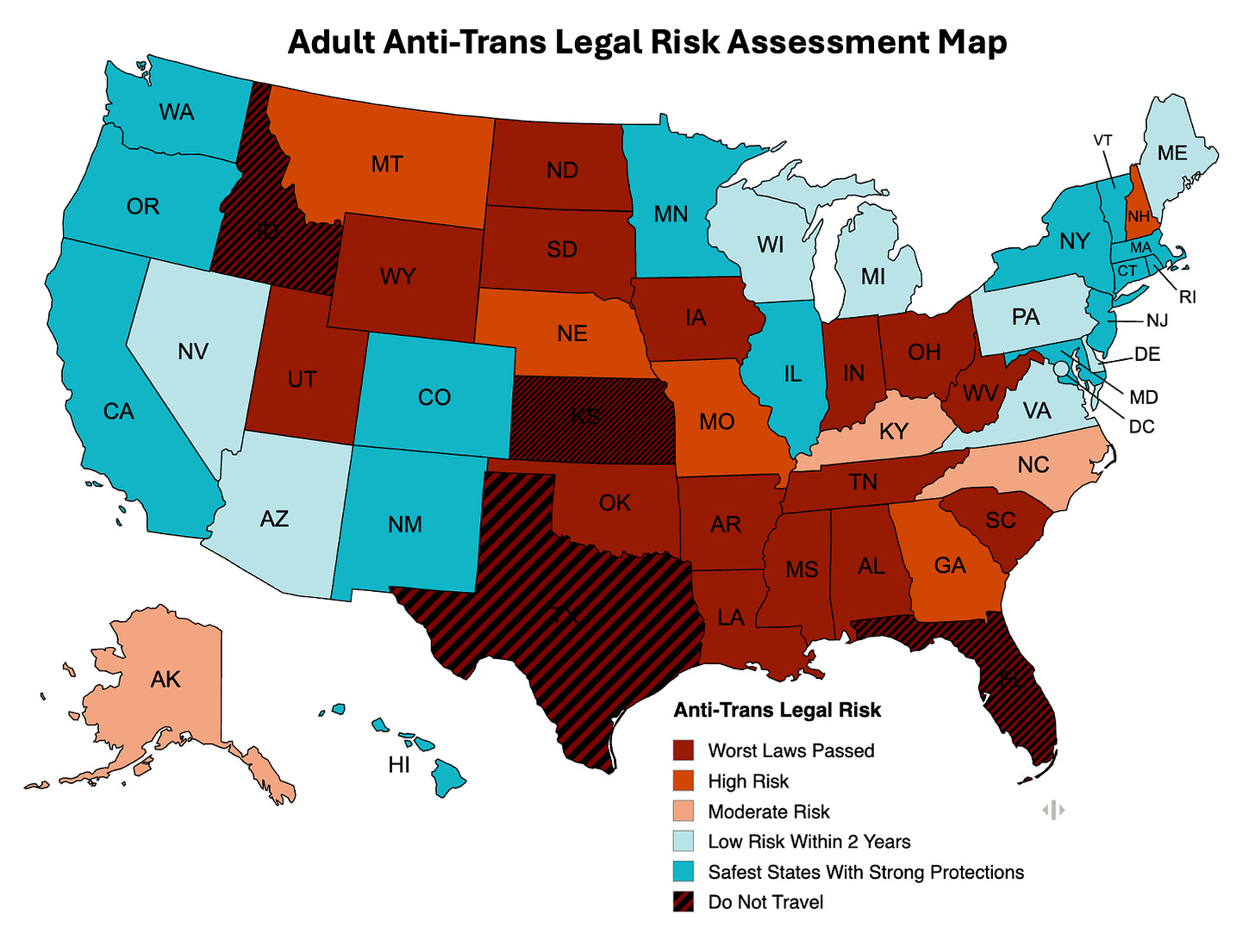


Anti Trans National Legal Risk Assessment Map July 2026 FFDEF2BF 5a38 451B A7DA 8902ef0a9593 FFDEF2BF 5a38 451B A7DA 8902ef0a9593 File 2026 Tamil Nadu Legislative Assembly Election NDA Seat Sharing 1280PX 2026 1280PX 2026 Every State S Favorite Ice Cream Flavor In 2026 Mapped 01kty4vjak4y0zgdjnk7 Share Repair Gathering 2026 Circular Communities Scotland Main Image How To Location On Google Maps Guide For IOS And Android Reasons Why May Not Work BWAP 2026 New Zealand Miss World F20303AA 0fe8 454B 85a1 51AD5666CEEF F20303AA 0fe8 454B 85a1 51AD5666CEEF Live Updates After Tornado Menasha Fox Crossing Appleton 91072061007 Apc Storm 1347 Djp 072726 91072061007 1347 072726 The Times Union Best Staff Photos Of Month From 2026 91140046007 Jags Training Camp Practice 093 91140046007 093 Oklahoman 2026 All City High School Girls Golf Roster 89492367007 Super 5009 89492367007 5009 Singapore MRT 2026 Land Transport Guru JUL2026 Fix Two Factor Authentication Working 2026 Youtube Maxresdefault 2025 Shark Attack Tracking Sharks 2025.


2026 Global Event Map 693f6fe57dbf0bf4e7afac18 2026 Preview 693f6fe57dbf0bf4e7afac18 2026 Customize View Settings For Sharing Social Explorer 24929247122461 The Share Button Is Not Working In Arcgis Online Apps Which Use 53105180 A40A8080 34FE 11e9 9855 483ACB1486CE 53105180 A40A8080 34FE 11e9 9855 483ACB1486CE Fix Google Maps Location Quick Tips Updating Intro How To Change Home Address On Ways Solved Available Esri Community Medium NBA S Effort Stop Tanking Adam Silver Says 260214 Ch 1530 3db842 260214 1530 3db842 Enable And Enterprise Geocodio Confirm Trip Progress Xalam Blog Scaled Ukraine Neighbouring Countries Crisis Response Plan 2026 Operational Sept 2025 An Acres With Others Reports Export Links.